AI — from building to running it
Describe the site you want. In plain words.
Your AI turns what you said into a draft. It does not stop there: publishing, contact forms, the CMS, a custom domain and the changes you make after launch are all things the same AI can handle.
What works today: connect the AI you already use (Claude, ChatGPT, Claude Code) and ask it.
Behind the headline, screens of sites you can build with Siteon are laid out at an angle: a hair-colour atelier, a charcoal-grill counter, a family clinic, a strength gym, a hair salon, and two of our own sites. The first five are industry starters rendered with their sample wording.
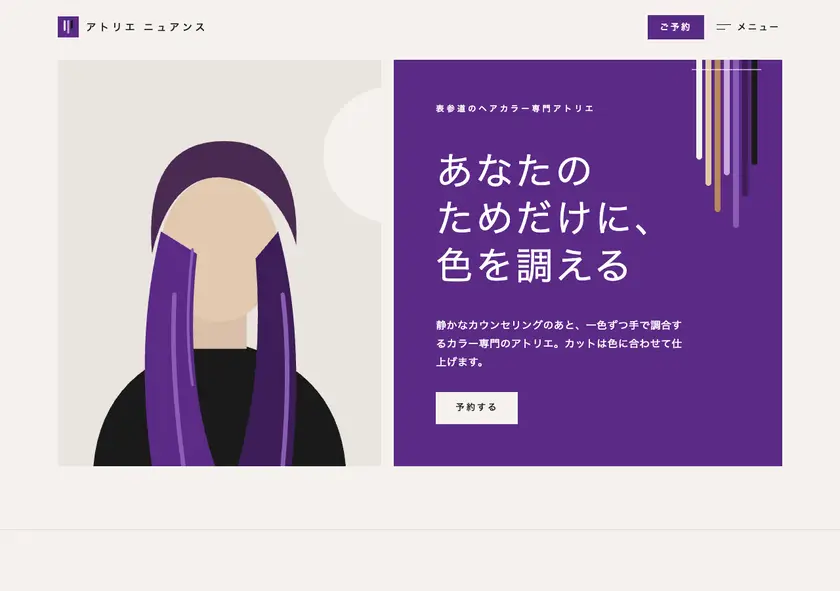




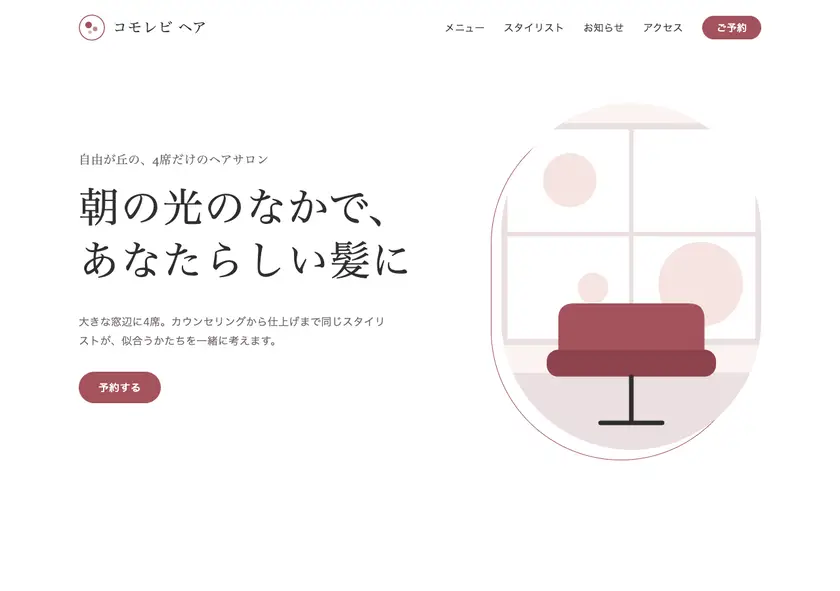

Connect the AI you already use (Claude, ChatGPT, Claude Code) and ask it, and sites like these get built and published.
Screens made from the actual starter templates, with sample wording.
A screen where you build the whole thing by chatting inside the browser is comingSoon
The AI writes drafts. A person decides what goes live.
Leave it entirely to the machine and wrong facts and broken pages go out into the world. So the building is the AI’s job, and the publishing stays in human hands.
-
Drafts, not releases
Text and HTML arrive as a draft. Look at the preview, ask for changes, and when it is right a person presses publish. Facts — prices, addresses, opening hours, credentials — are yours to check.
-
It does not stop at "built"
Most tools end once the page exists. Here, publishing, contact forms, a CMS your client can edit, custom domains and the wording you change after launch all sit on one foundation.
-
The HTML stays yours
Nothing is locked into a proprietary format. The HTML and CSS your AI wrote are served as they are, and you can take them with you. Moving away does not mean rebuilding.
Three things to ask for.
Each one starts by talking to the AI you already use. There are no commands to memorise.
-
Build it and put it online
Say what the business is, what should be on the page and how to reach you. The AI drafts it; you check it and publish.
- 1 Say what you want
- 2 The AI drafts it
- 3 Check the preview
- 4 A person presses publish
-
Change a site that is already live
"Change the phone number." "Swap this photo." Only what changed becomes a new version, and you can roll back to the previous one.
- 1 Say what to change
- 2 The AI produces the diff
- 3 Compare before and after
- 4 Publish, or roll back
-
Add the plumbing around it
A contact form, auto-replies, email and Slack notifications, a dashboard your client edits, and a custom domain.
- 1 Decide the form fields
- 2 Send a test submission
- 3 Set where notifications go
- 4 Add a custom domain
What you can hand over.
Through the CLI (siteon) and MCP, an AI can do almost everything a person can do in the dashboard. Only spending money and publishing need a human.
Build and publish
- Create a site and publish it on a subdomain
- Re-publish by sending only the files that changed
- Roll back to the previous version
- Check for broken links and missing pieces before publishing
Make it editable (CMS)
- Declare which areas the client may edit
- Change wording, photos and news from the AI or the dashboard
- See saved changes live within 15 seconds
- Spreadsheet syncSoon
Collect (contact forms)
- Define form fields and confirm them with a test submission
- Set up auto-replies and email or Slack notifications
- Read and export the inquiries that arrived
- Scheduling pages with calendar syncSoon
Run it
- Add a custom domain and check how the setup is going
- Sign up for a plan (a person enters the card)
- Read inquiry counts and page views
- Offer the dashboard under your own logoSoon
Two ways to start.
Both are free to try. A card is only needed when you move to a paid plan.
-
Connect the AI you already use
Claude, ChatGPT, Claude Code, Codex, Cursor — anything that speaks MCP can drive it. Copy the prompt on the home page, paste it in, and the AI reads the instructions and goes from sign-up to launch.
See the prompt to paste into your AIThe endpoint is https://app.siteon.dev/mcp. The steps are in the docs.
-
Sign up and use the dashboard
Register for free and create your first site from the dashboard. After launch, wording and photos can be changed from a phone browser too.
Get started freeNo card required. You can publish while staying on the free plan.
A screen where you build the whole thing by chatting inside the browser is comingSoon
FAQ
Can I build it by chatting inside the browser?
Not yet. Today you connect the AI you already use (Claude, ChatGPT, Claude Code and others) over MCP and ask it. A screen that does the whole thing in the browser is comingSoon. The box at the top of this page is an illustration of that screen and does nothing yet.
Could the AI publish something on its own?
A person presses publish. The AI can ask "shall I publish this?", but it cannot press the button. Entering a card and approving a login are human actions too.
Does it work with any AI?
Any AI that speaks MCP. Tools that run on your machine (Claude Code, Codex, Cursor) and AI you use in a browser or app (Claude, ChatGPT) get the same set of actions. There is also a CLI if you prefer commands.
What happens to the HTML the AI wrote?
It is served exactly as written. Nothing is converted into a proprietary builder format and nothing is redesigned behind your back. When you want it elsewhere, take it.
What if the AI writes something that is not true?
Check the facts — prices, addresses, opening hours, claims, credentials — before you publish. The AI produces a draft, and whoever publishes it owns what it says. The pre-publish check finds broken links and missing pieces; it cannot tell you whether a sentence is true.
How does pricing work?
You pay per site. You can publish while staying on the free plan; a custom domain and removing the badge are paid. An AI can start a plan for you, but a person enters the card.
From describing it to publishing it.
To try it today, paste the prompt into the AI you already use, or sign up for free.